

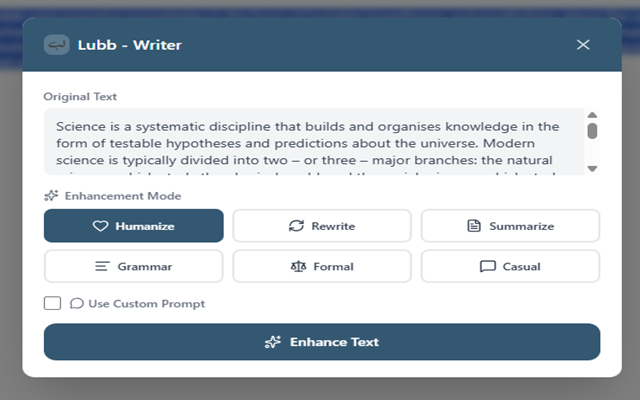
 Lubb AI Writer is designed to be provider-agnostic. That means you’re not locked into paid APIs. With OpenRouter, you can run it completely free using community models.
Here’s the exact setup.
1) Clone the project
git clone https://github.com/adelpro/lubb-writer.git
cd lubb-writer
2) Configure environment
Rename the example file:
mv .env.example .env
Generating Your Lubb API Token
The API_TOKEN authenticates requests to the Lubb backend. You can generate it locally or via a key generator, no registration required.
node -e "console.log(require('crypto').randomBytes(32).toString('hex'))"
This will output a 64-character token. Copy it into your .env:
API_TOKEN=generated-token-from-node
Edit .env and add your OpenRouter config:
CUSTOM_PROVIDER_2_API_KEY=your-openrouter-key
CUSTOM_PROVIDER_2_BASE_URL=https://openrouter.ai/api/v1
CUSTOM_PROVIDER_2_MODELS=qwen/qwen3.6-plus-preview:free
Models: Search OpenRouter for :free models You can chain multiple models: CUSTOM_PROVIDER_2_MODELS=qwen/qwen3.6-plus-preview:free,mistralai/mistral-7b-instruct:free
This gives fallback + flexibility. Better UX, more resilience.
3) Start the API
Run the backend container:
docker compose up -d api
Or if you're running locally without Docker:
npm install
npm run dev
4) Install the extension
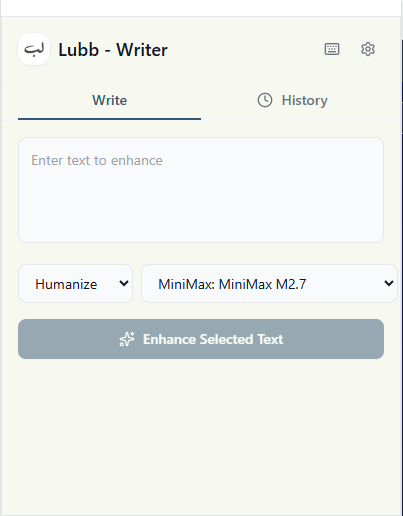
Install Lubb AI Writer from:
- Chrome Web Store: https://chromewebstore.google.com/detail/lubb-ai-writer/hbdghnimecpnpoomobaeeeeekleanjjo
- Edge Add-ons: https://microsoftedge.microsoft.com/addons/detail/lubb-ai-writer/faoekdjnfhnkkjimlbdecgoffpdekpbb
- Firefox Add-ons: https://addons.mozilla.org/en-US/firefox/addon/lubb-ai-writer/
- Or use your built version if running locally
5) Connect the extension
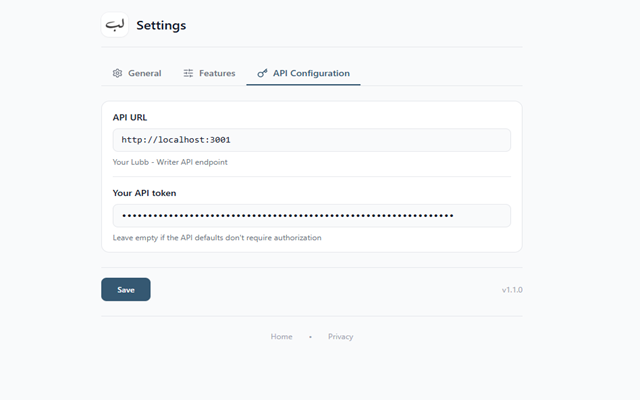
Inside the extension settings:
Set API URL → your local API (e.g. http://localhost:3001) Set API Key → same key used in .env
6) Done
You now have:
- Free AI writing
- Works on any input field
- Multiple model fallback
- Zero vendor lock-in
For more information: https://lubb-writer.adelpro.us.kg/
About the author
- I am a web developer
Comments
Join the discussionNo comments yet. Be the first to comment.

