



About
Openadhan is a Web application made with Reactjs for calculating Muslim prayer times using local (auto) geo position (geotagging) or manually calculated geo position (reverse geotagging) (with city search). Link: ( https://openadhan.web.app )
How to get the source code of Openadhan?
Well, you can get Openadhan source code from GitHub (link) Support us by giving a star ⭐
Features:
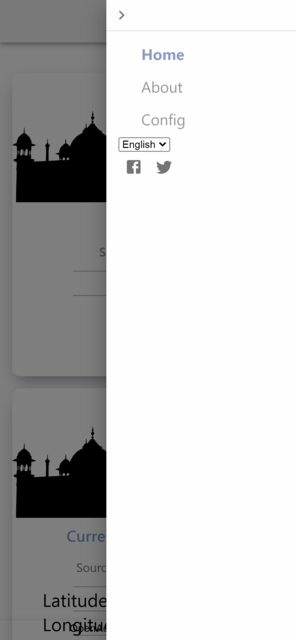
✔ Simple to use: With responsive navigation menu mobile ready (sandwich) with active class to show the active (current) page, animated cards with minimalist white design and transparent footer, using Material UI v5
✔ Auto geo position (geotagging): calculating the location using the coordinates (latitude and longitude) calculated with the device sensors then showing the related city name using two different geotagging API (Nominatim API: free open source, Bigdatacloud API: free limited)
✔ Manual geo position(reverse geotagging): searching for geoposition manually using city's name with the help of reverse geotagging API( Nominatim API: free open source)
✔ Made with ReactJS: ReactJS v.17 and React-router v.6
✔ PWA ready: with service worker, manifest file, installable
✔ Multi language (Arabic, English): You can change the application UI language with a simple drop-down select menu, using React hooks and React Context API.
✔ Configuration page: To adapt the app to your needs (UI, Adhan configuration, location, show/hide cards).
✔ Save/load configuration from localStorage API: the configuration and geoposition is saved to the local storage using:localStorage API.
✔ Offline API fetch: The results from Geoposition API fetch are saved in localstorage and loaded if there is no internet connection.
Screenshots:
Desktop UI
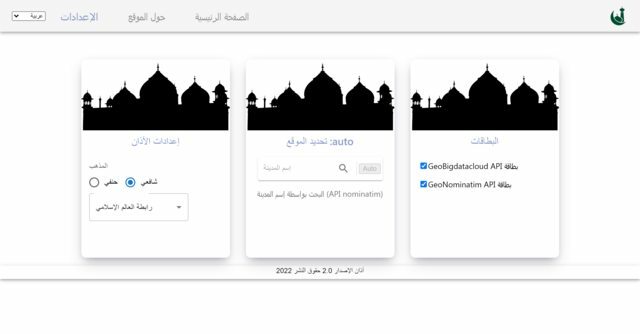
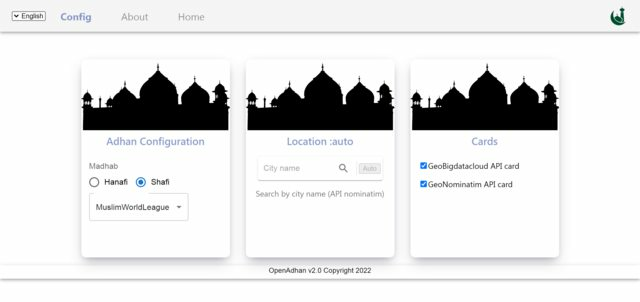 Mobile UI
Used libraries:
✔ ReactJS
✔ React-router v6
✔ MaterialUi v5
✔ AdhanJS
Contact us:
Twitter: @adelpro
Support us ❤️:
[Buymeacoffee](https://wwww.buymeacoffee.com/Adel.benyahia
About the author
- I am a web developer
Comments
Join the discussionNo comments yet. Be the first to comment.

